Open your hosting in Client Area
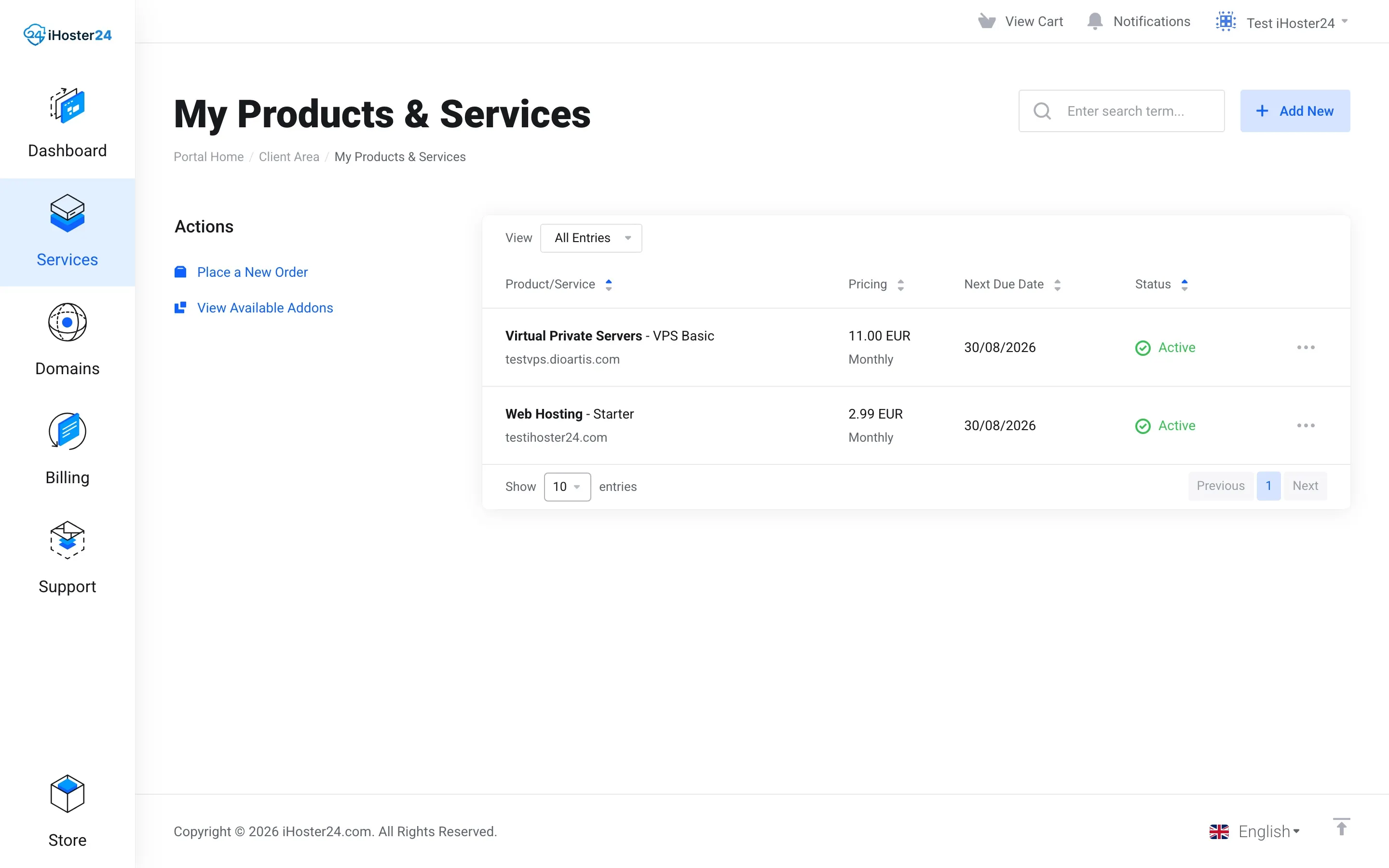
Log in to the Client Area → Services → My Products & Services → your web hosting plan. On the product page you’ll see Log in to cPanel and Quick Shortcuts (File Manager, Email Accounts, etc.).
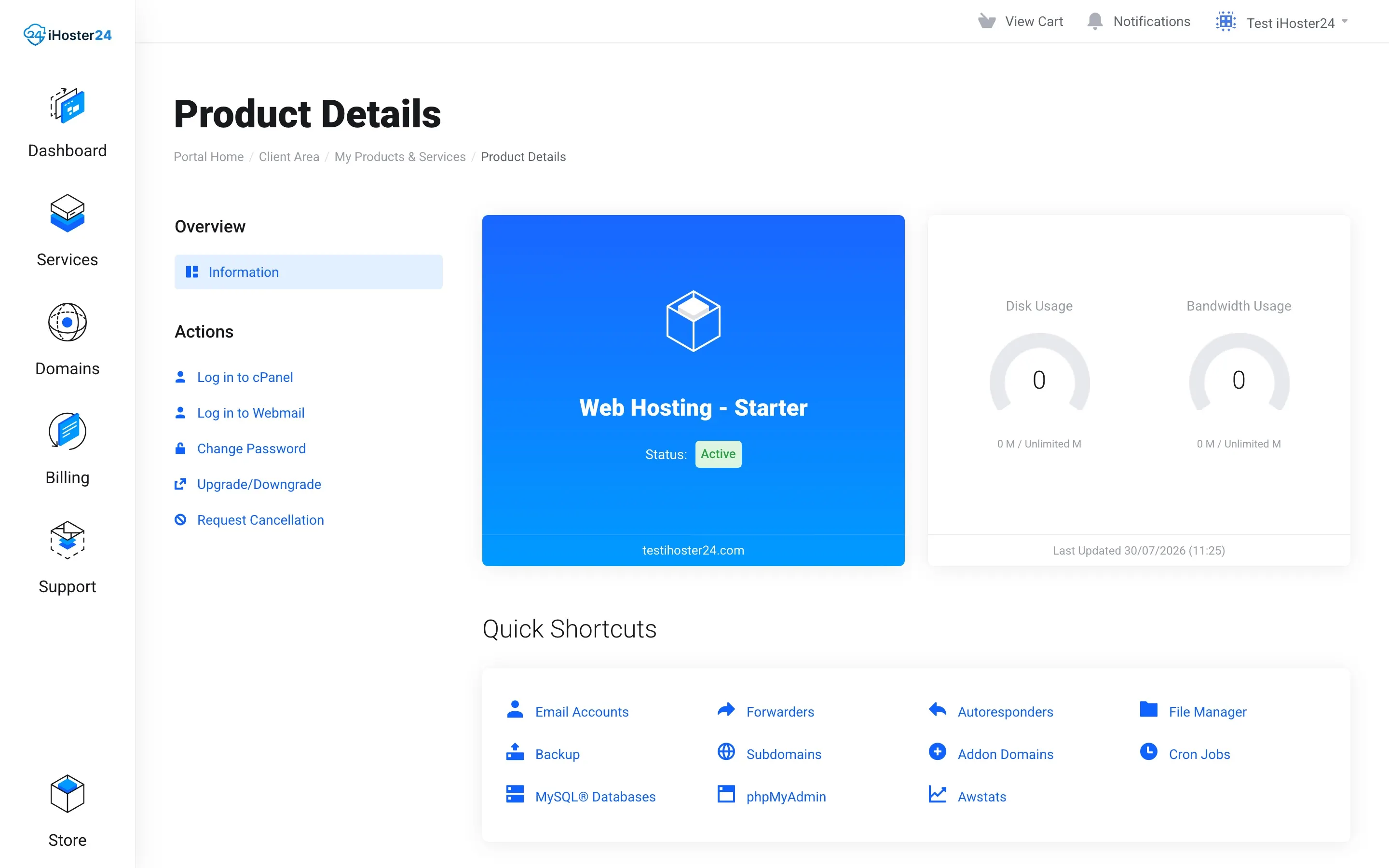
cPanel home
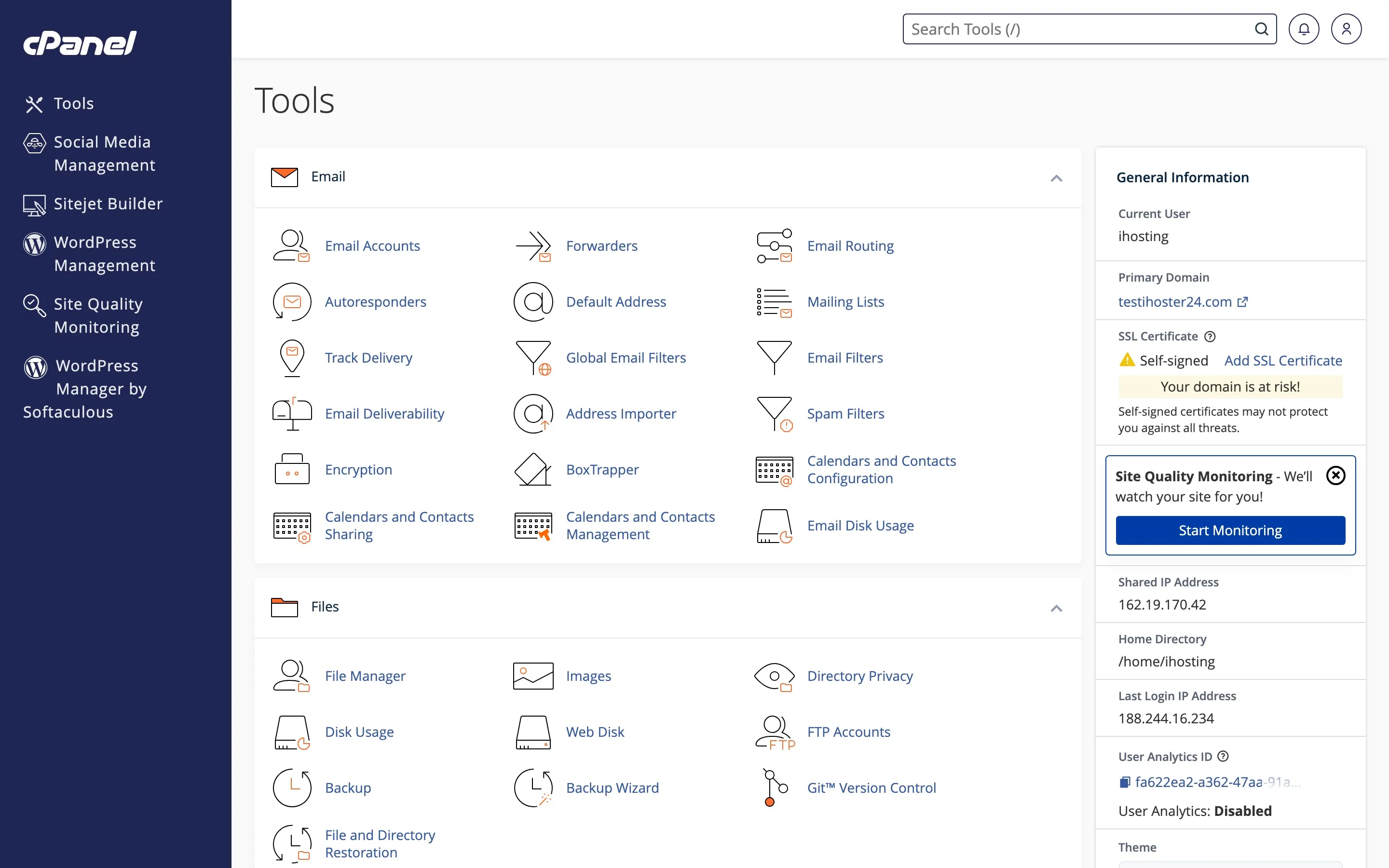
Click Log in to cPanel for single sign-on into the cPanel Tools home. You can also use the cPanel URL from your welcome email (port 2083) with your cPanel username and password.
Key sections
- Files – File Manager, FTP Accounts, Backup.
- Databases – MySQL® Databases, phpMyAdmin.
- Email – Email Accounts, forwarders, autoresponders.
- Domains – Domains, subdomains, redirects.
- Security – SSL/TLS, SSH Access, IP Blocker.
File Manager
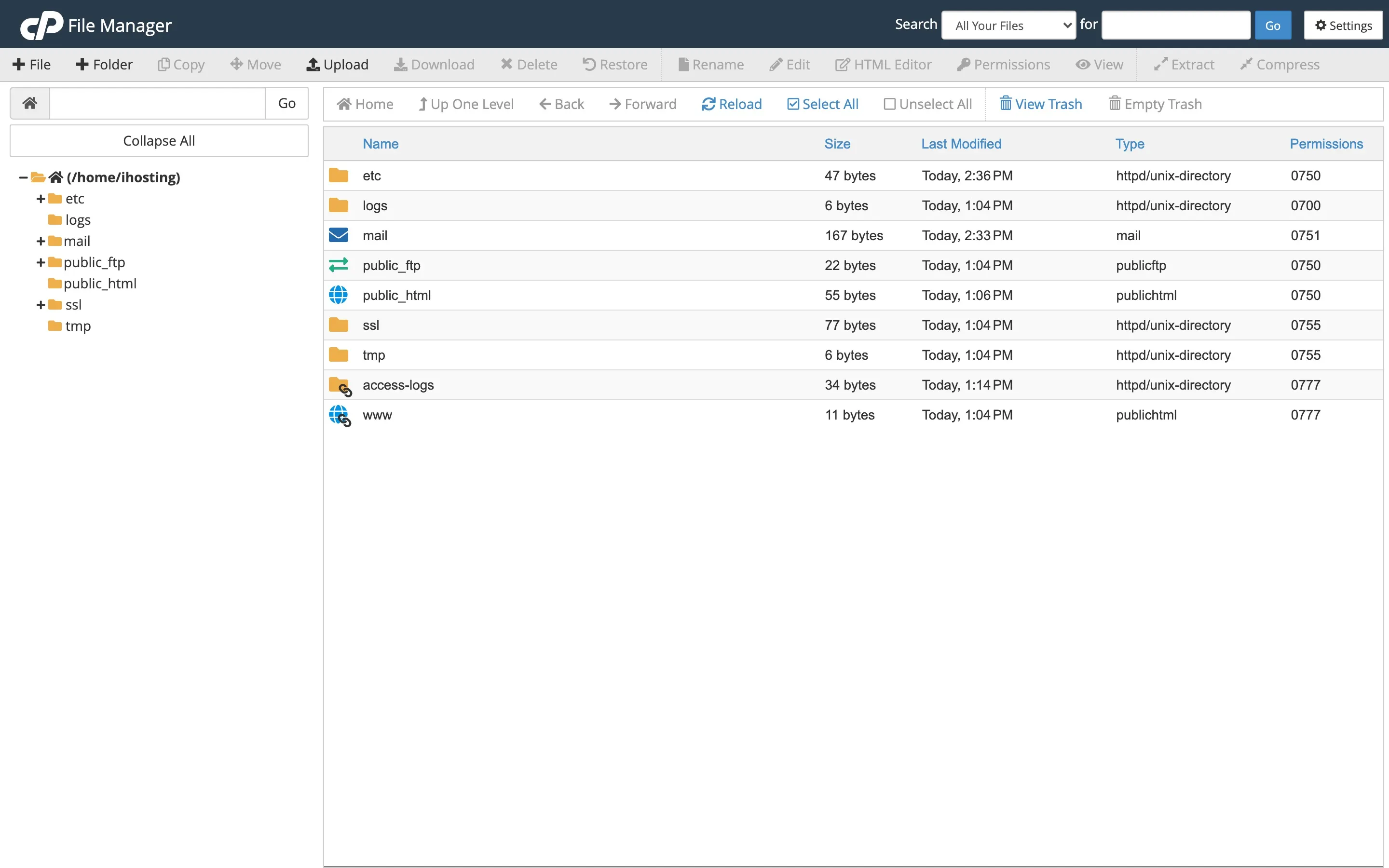
Upload, download, edit, and delete files. Use it to install or fix a site when FTP isn’t handy. Be careful editing core application files; keep backups.
Related guides
Installing WordPress · Upload via FTP · Enable SSL · Change PHP version · Backups · Email accounts
Note: If you don’t see an icon, your plan may not include that feature—check the product description or contact support.
Was this helpful?
Thanks for your feedback!