What this solves
Your script or app requires a specific PHP version.
Where to change it
Client Area → your hosting → Log in to cPanel → open MultiPHP Manager. You’ll see domains/subdomains and the current PHP version, plus the system default.
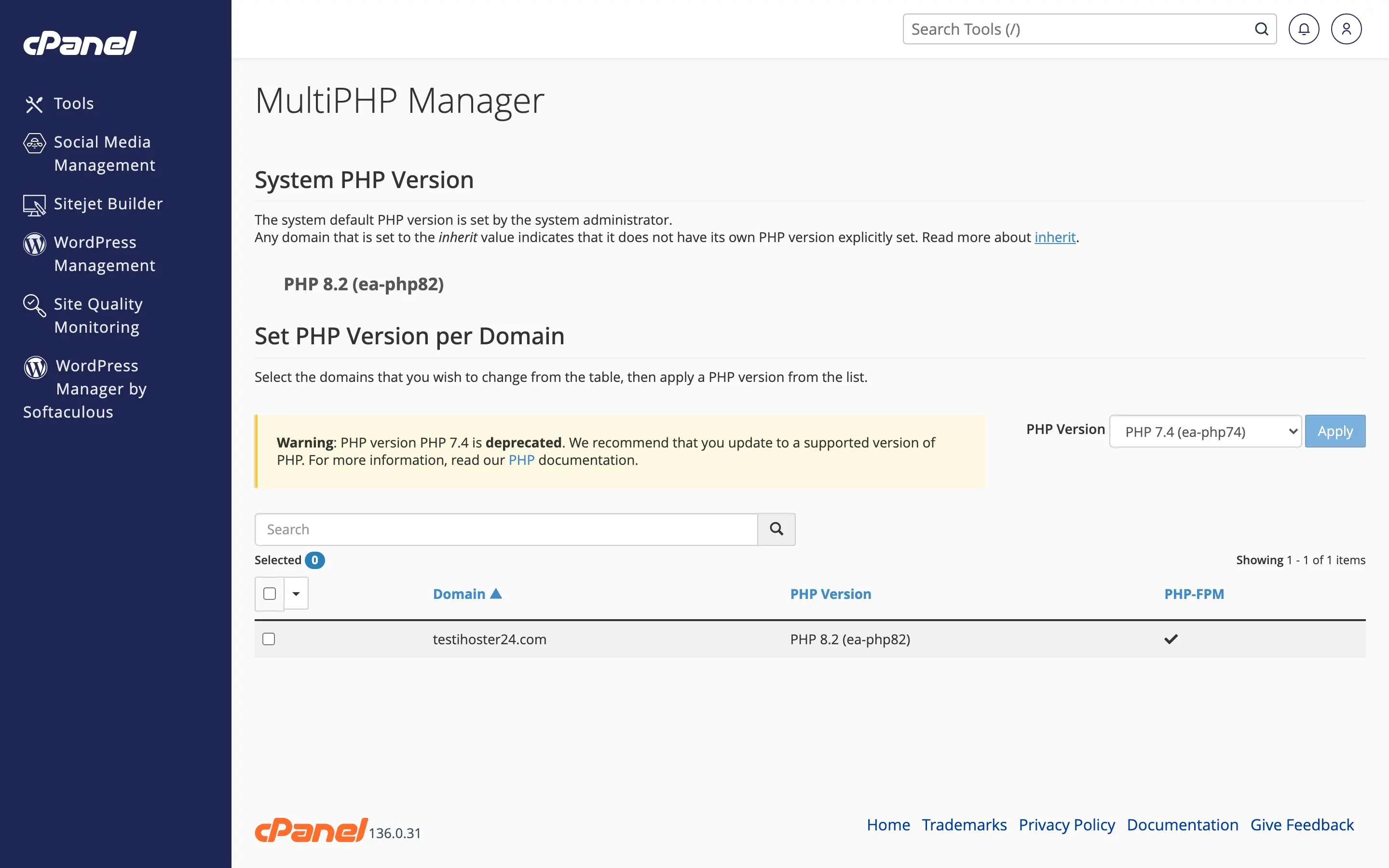
Select version
Choose the domain or subdomain, select the PHP version (e.g. 8.1, 8.2), then Apply/Save. The change applies immediately.
Extensions
Use MultiPHP INI Editor to tune settings. Enable extensions your app needs (mysqli, curl, gd, etc.) for that PHP version.
Warning: Older apps may break on PHP 8+. Back up first — How to create and restore backups — then test.
When to contact support
If the site errors after a change, open a ticket with the domain and the PHP version you selected.
Was this helpful?
Thanks for your feedback!