What this solves
You want to understand your invoices and when to pay so your service doesn’t lapse.
Where to find invoices
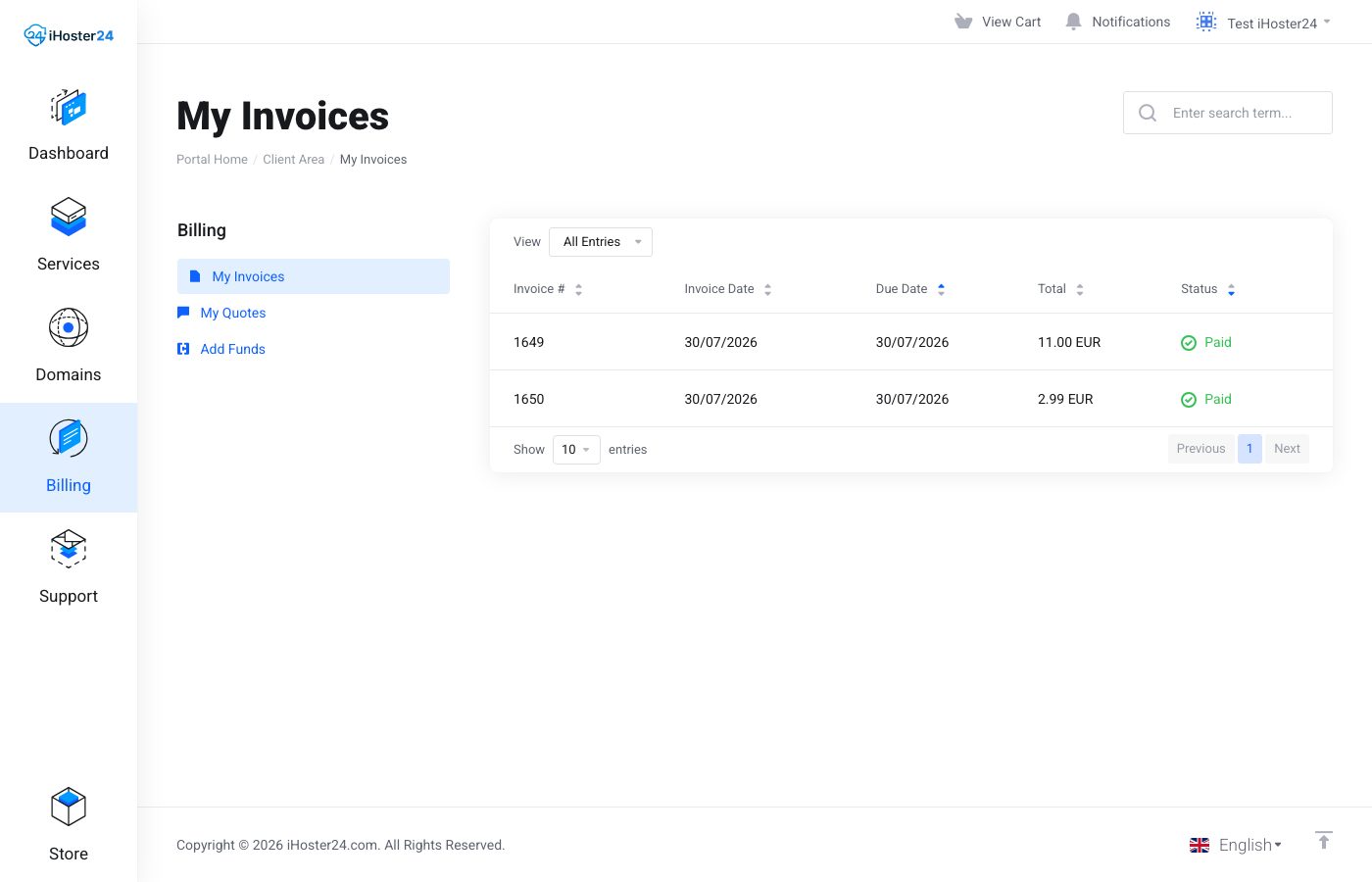
Client Area → Billing → My Invoices. Each invoice has a number, date, due date, and line items (service, amount, period).
Due dates
Pay by the due date to avoid suspension. We usually send reminders by email. You can pay early; the next invoice is generated at renewal. See also Automatic renewals explained.
Paying
Open the invoice and click Pay. Choose a supported method. After payment, the invoice shows Paid and you can download a PDF. The product page also lists Next Due Date and Payment Method.
Tip: Keep the product Payment Method current and watch renewal emails so due dates don’t sneak up.
When to contact support
If an invoice is wrong or you already paid but it still shows unpaid, open a ticket with the invoice number and proof of payment.
Was this helpful?
Thanks for your feedback!