What this solves
You want services to keep running without missing a due date — and to know how to stop renewals when you cancel.
How renewals work
Each product shows Next Due Date, Billing Cycle, Recurring Amount, and Payment Method on its Client Area product page (Services → open the product → Billing Overview).
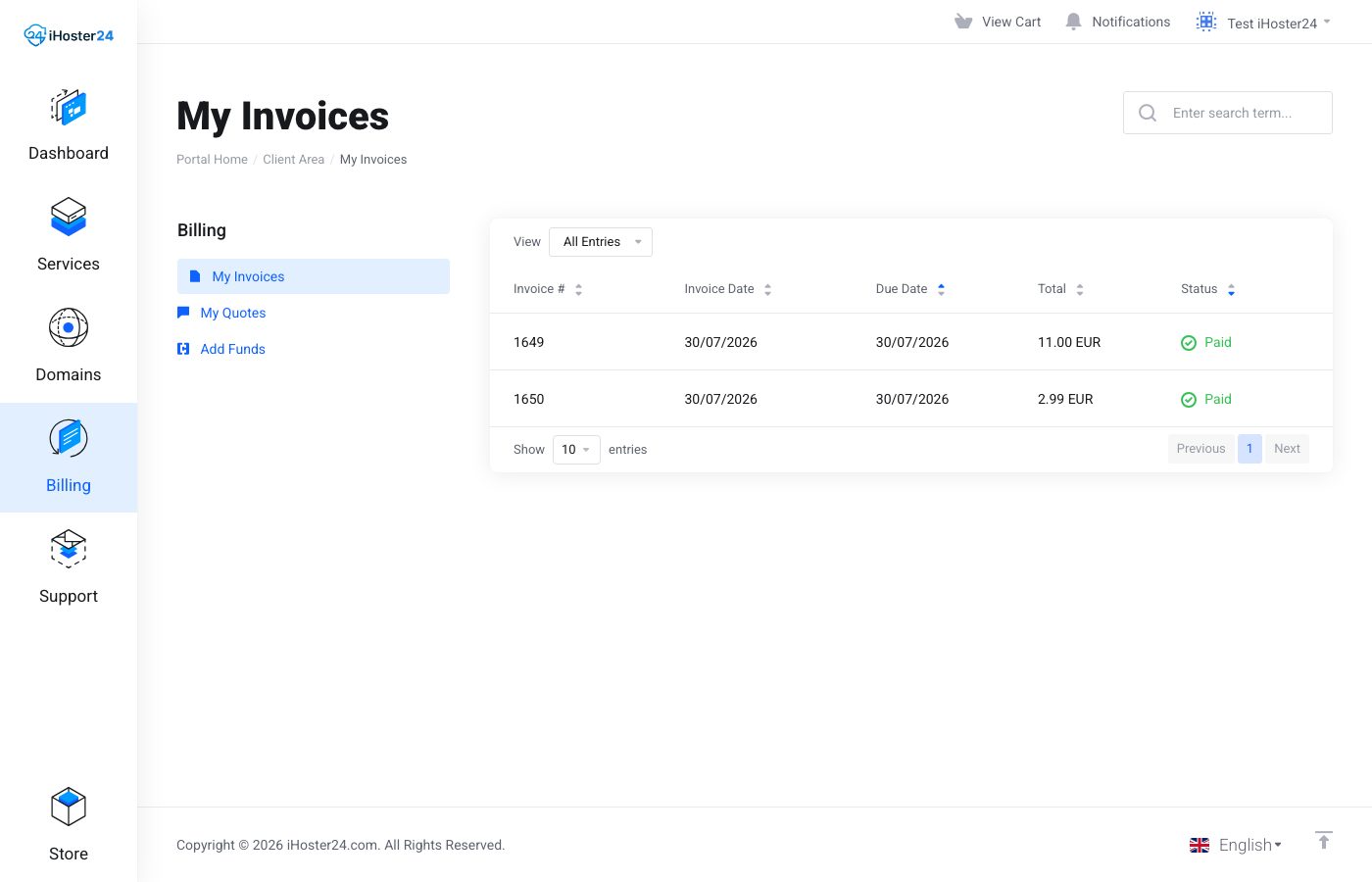
Before or on the due date we generate an invoice under Billing → My Invoices. When a chargeable payment method is on file and payment succeeds, the service renews for another cycle. Failed charges can lead to reminders and eventually suspension — see Failed payment troubleshooting.
Paying on time
- Open unpaid invoices and click Pay
- Keep the product’s Payment Method current (shown on the product Billing Overview)
- Watch renewal emails so notices don’t sit in spam
You can always pay an invoice manually even if you usually pay by card or bank transfer.
Stopping renewal (cancel)
On the product page, left Actions → Request Cancellation. Choose end of billing period or immediate (if offered), then confirm. We’ll process per our policies. Don’t rely on ignoring invoices — unpaid services can suspend.
When to contact support
If you were charged after a cancellation request, or an invoice looks wrong, open a Billing ticket with the invoice number.
Was this helpful?
Thanks for your feedback!