What this solves
Weak or reused passwords are a common cause of compromised accounts. Use unique strong passwords for every login surface.
Strong passwords
Aim for 16+ characters (minimum 12). Prefer a random passphrase or generator. Avoid dictionary words and personal info. Never reuse the same password across Client Area, cPanel, VPS root, email, and WordPress.
Where to change passwords at iHoster24
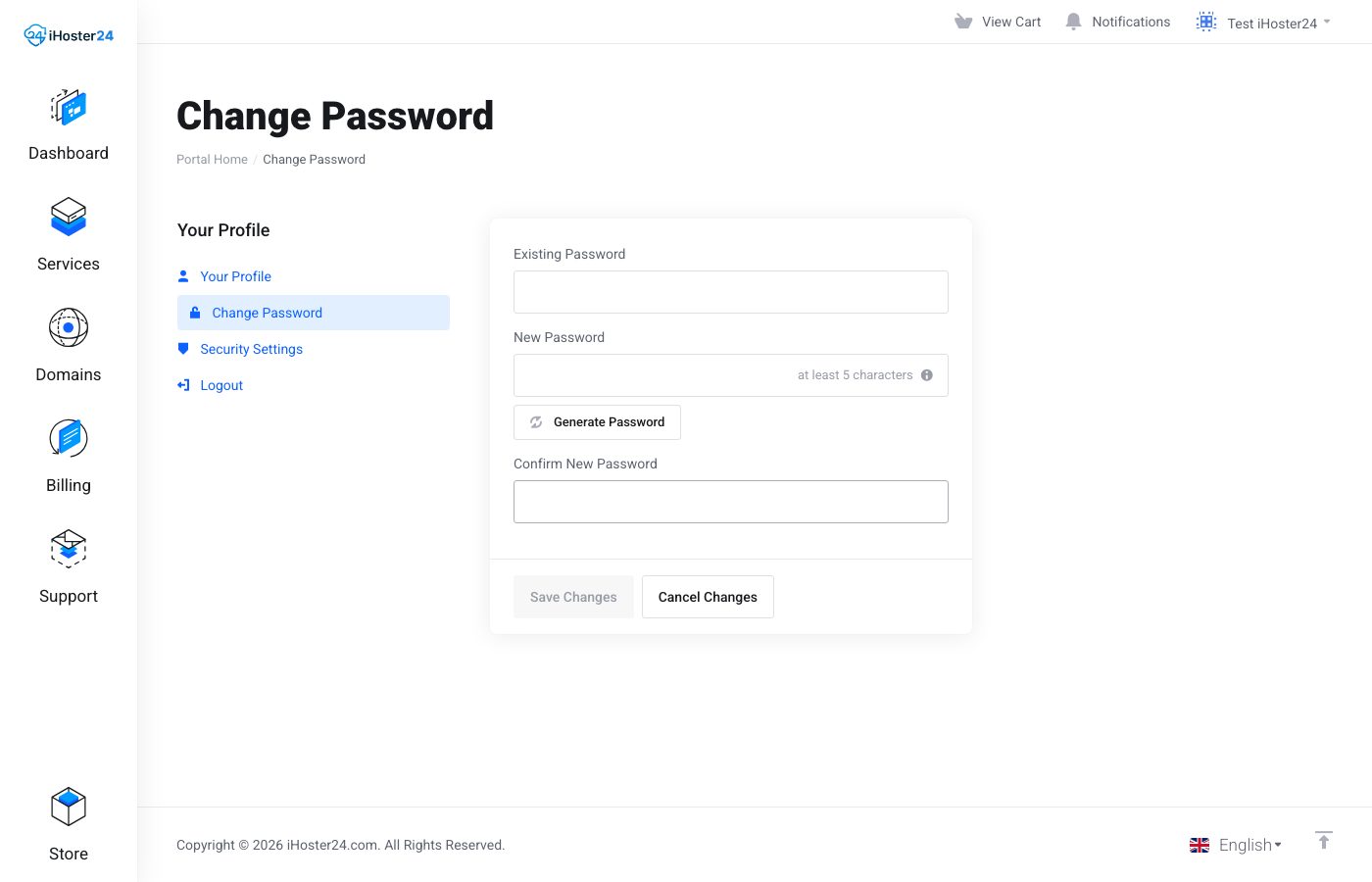
- Client Area login — account menu → Change Password (Managing account settings)
- cPanel / hosting — hosting product → Actions → Change Password, or inside cPanel
- VPS root — VPS product → Actions → Change Password, or
passwdover SSH (How to change root password) - Email — cPanel → Email Accounts → change password for that address
Password manager + 2FA
Use a password manager so you only remember one master password. Enable Client Area two-factor authentication (2FA). Add 2FA on WordPress and other apps that support it.
Tip: After any suspected compromise, rotate Client Area, cPanel, email, database, and CMS admin passwords, then review recent logins and plugins.
When to contact support
If you think the account was compromised, open a Security ticket and we’ll help lock it down.
Was this helpful?
Thanks for your feedback!