What this solves
Caching stores copies of pages or assets so repeat visitors get them faster. On iHoster24 web hosting you control most of this from cPanel and your CMS.
Browser caching
Expiry headers tell browsers to keep static files (images, CSS, JS). WordPress cache plugins usually set these for you. You can also add Cache-Control / Expires rules in .htaccess under public_html if you manage Apache rules yourself.
PHP OPcache
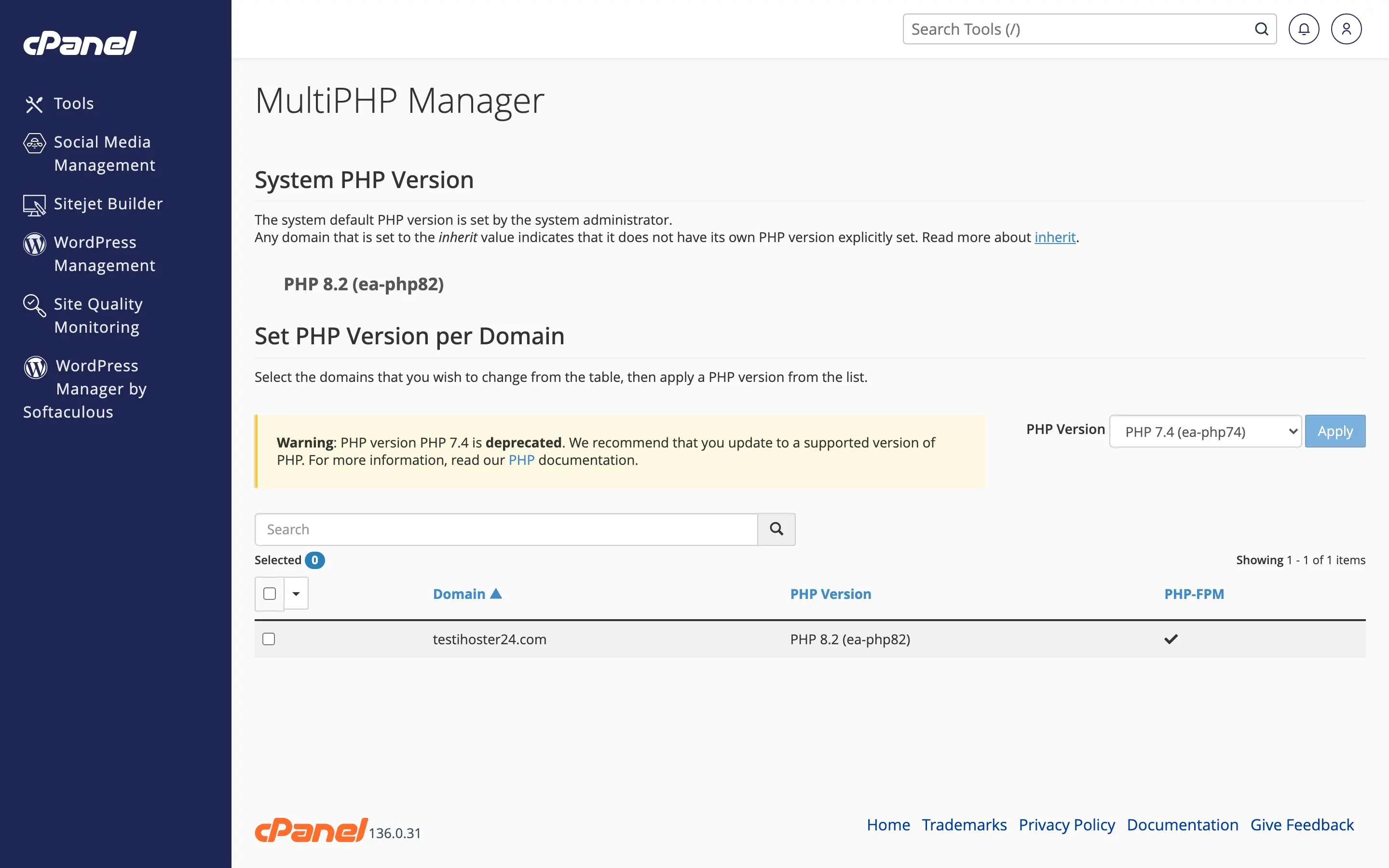
Use a current PHP version in cPanel MultiPHP Manager (8.1+ recommended). OPcache is typically enabled on the platform for supported versions — see How to change PHP version.
WordPress page cache
Install one page-cache plugin (don’t stack several). Good starting options: LiteSpeed Cache (if your stack supports it), WP Super Cache, or W3 Total Cache. Enable page cache, then test the site. Prefer a single plugin over overlapping caches.
For broader WordPress speed tips: Optimizing WordPress performance.
VPS note
On a VPS you choose the web stack (Nginx, Apache, panels). Caching is configured in that stack — not in shared cPanel tools.
When to contact support
If the site is slow after caching is on, or you see stale content you can’t clear, open a ticket with the domain and what you already tried.
Was this helpful?
Thanks for your feedback!