
What reseller hosting is
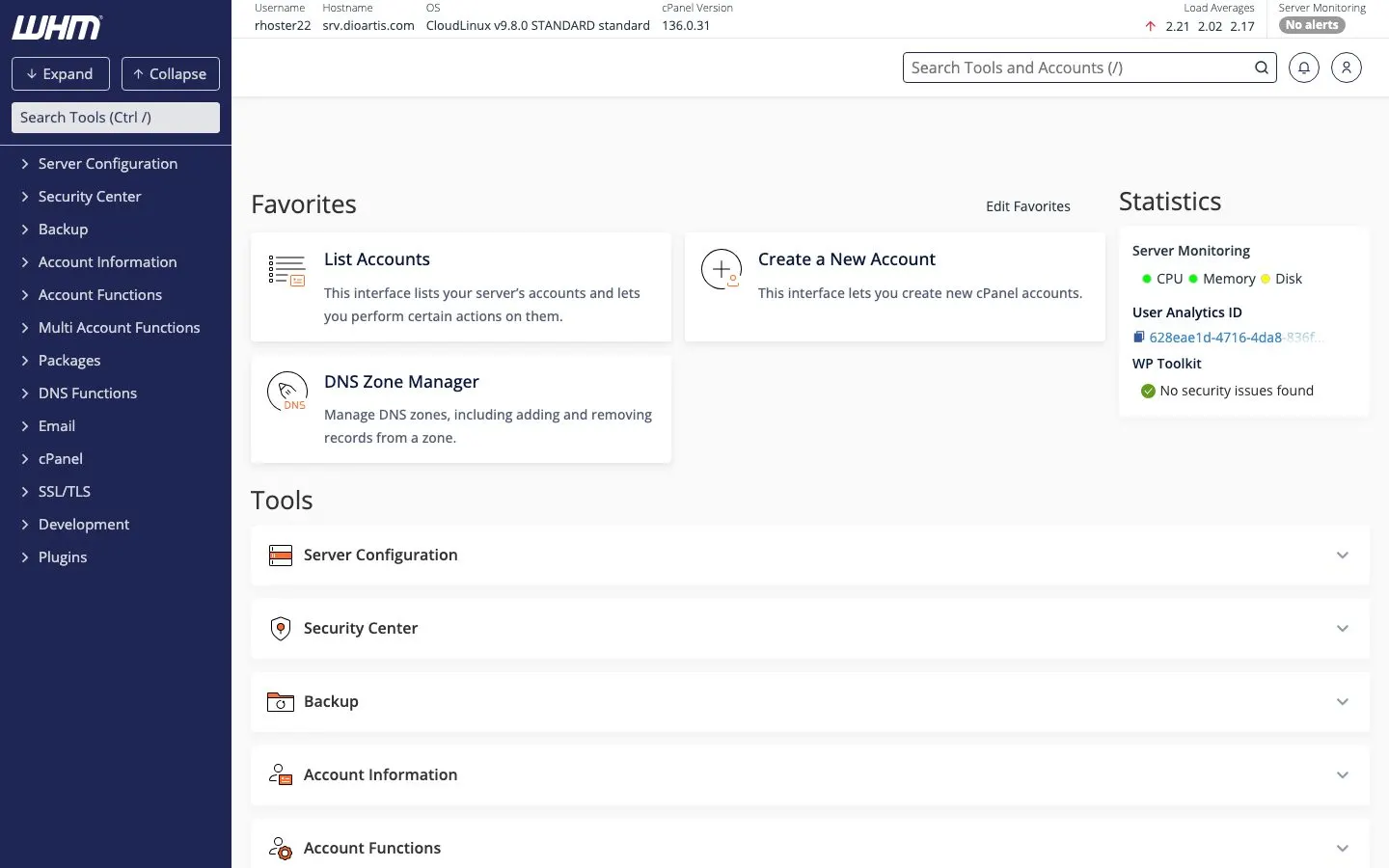
With an iHoster24 Reseller plan you get a WHM (Web Host Manager) login. From WHM you create packages and cPanel accounts for your clients. We run and maintain the server; you sell and support the accounts under your brand.
- You — pay iHoster24 for the reseller plan, manage WHM, bill and support your clients
- Your clients — get their own cPanel (sites, email, databases); they do not get WHM or root
- iHoster24 — hardware, network, cPanel/WHM platform, and support for your reseller service
Open your reseller service
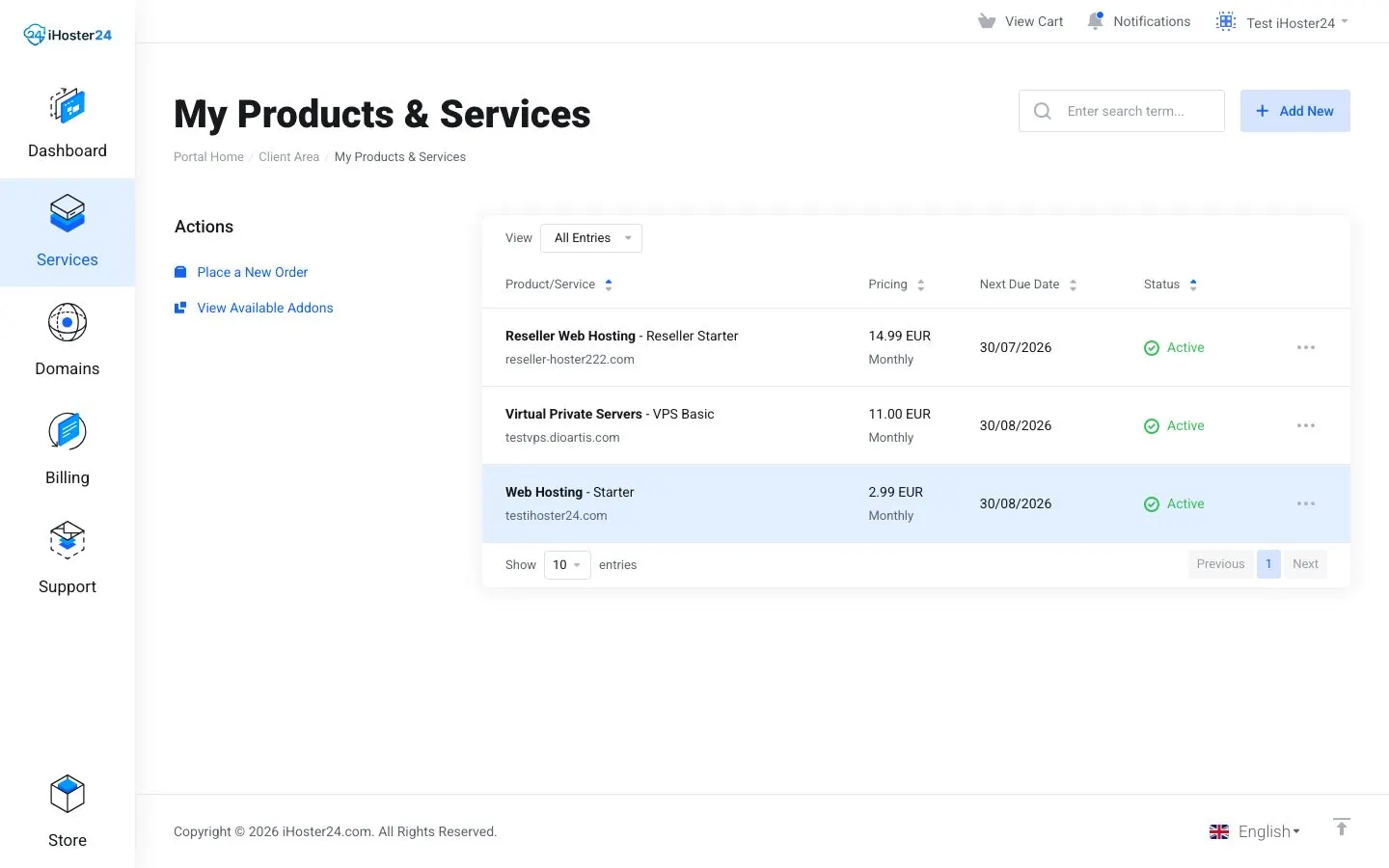
Log in at clientarea.ihoster24.com → Services → My Products & Services → open your Reseller plan.
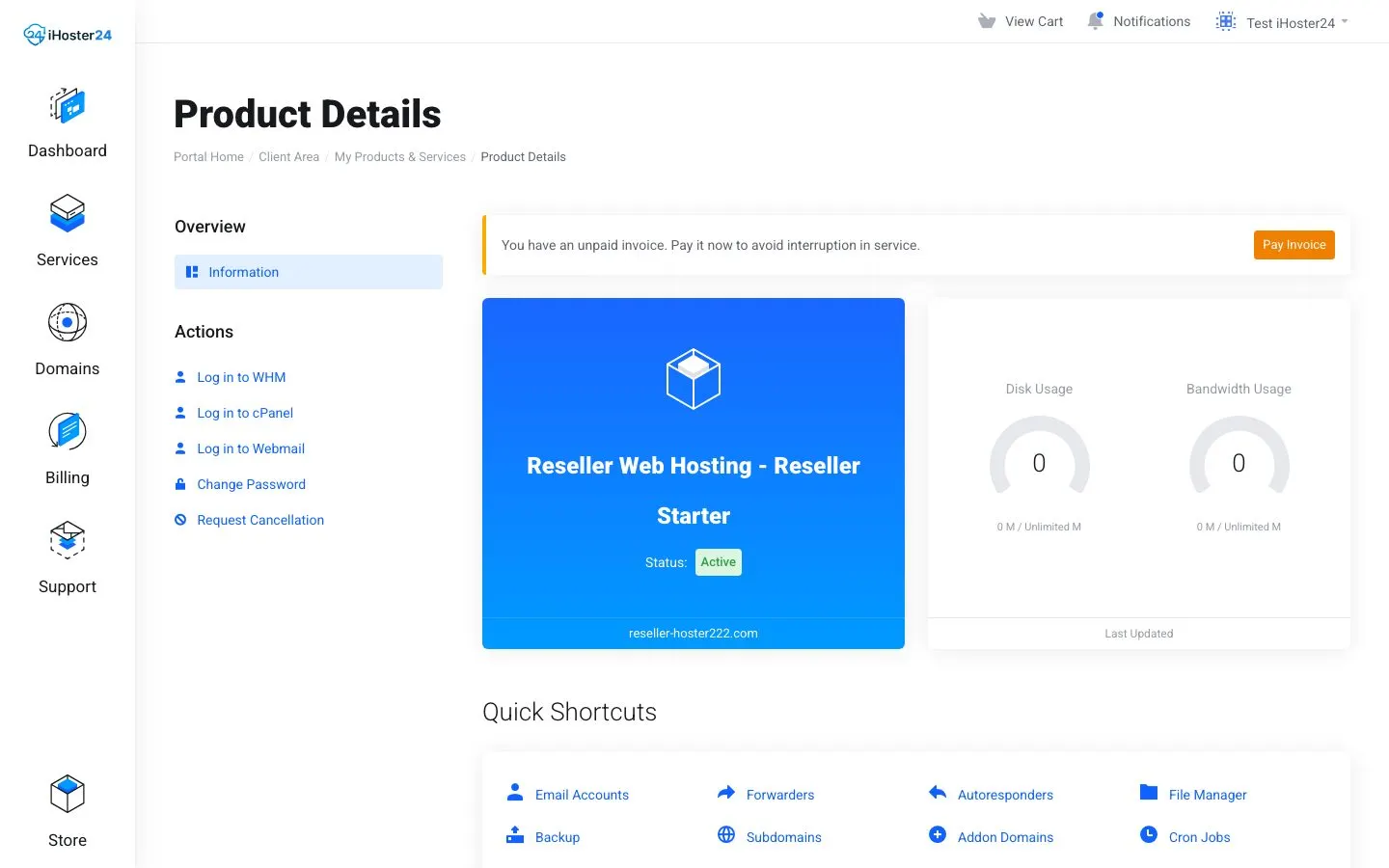
On the product page you will see status, domain, resource meters, and the left Actions menu.
WHM vs cPanel (important)
- Log in to WHM — your reseller panel. Create packages, create/suspend/terminate client accounts, view bandwidth, adjust feature lists
- Log in to cPanel — cPanel for the reseller’s own primary domain only (not each client’s panel). Clients log into their cPanel with the credentials you give them
What you will use most in WHM
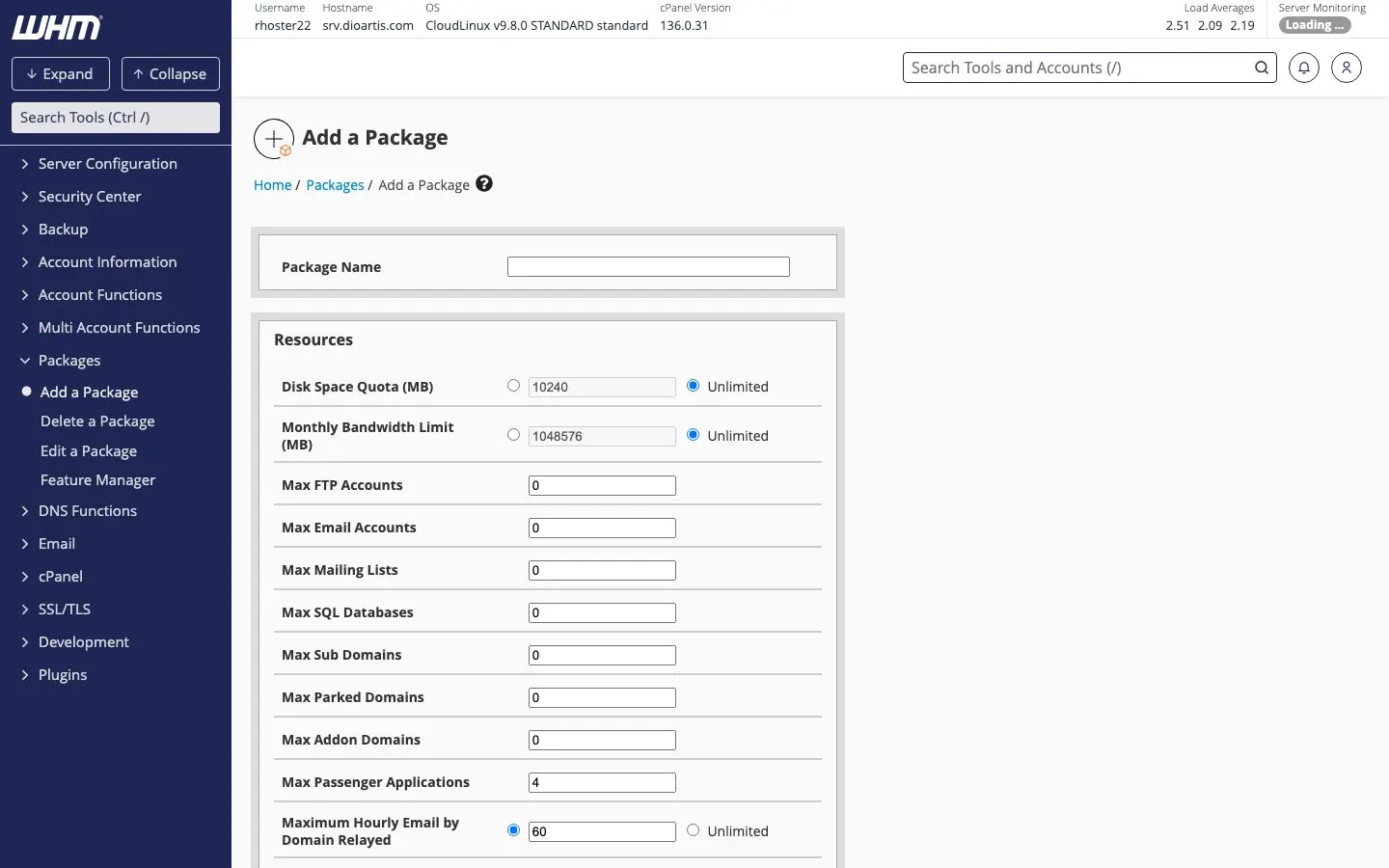
- Packages → Add a Package / Edit a Package — define the plans you sell (disk, bandwidth, email, databases, etc.)
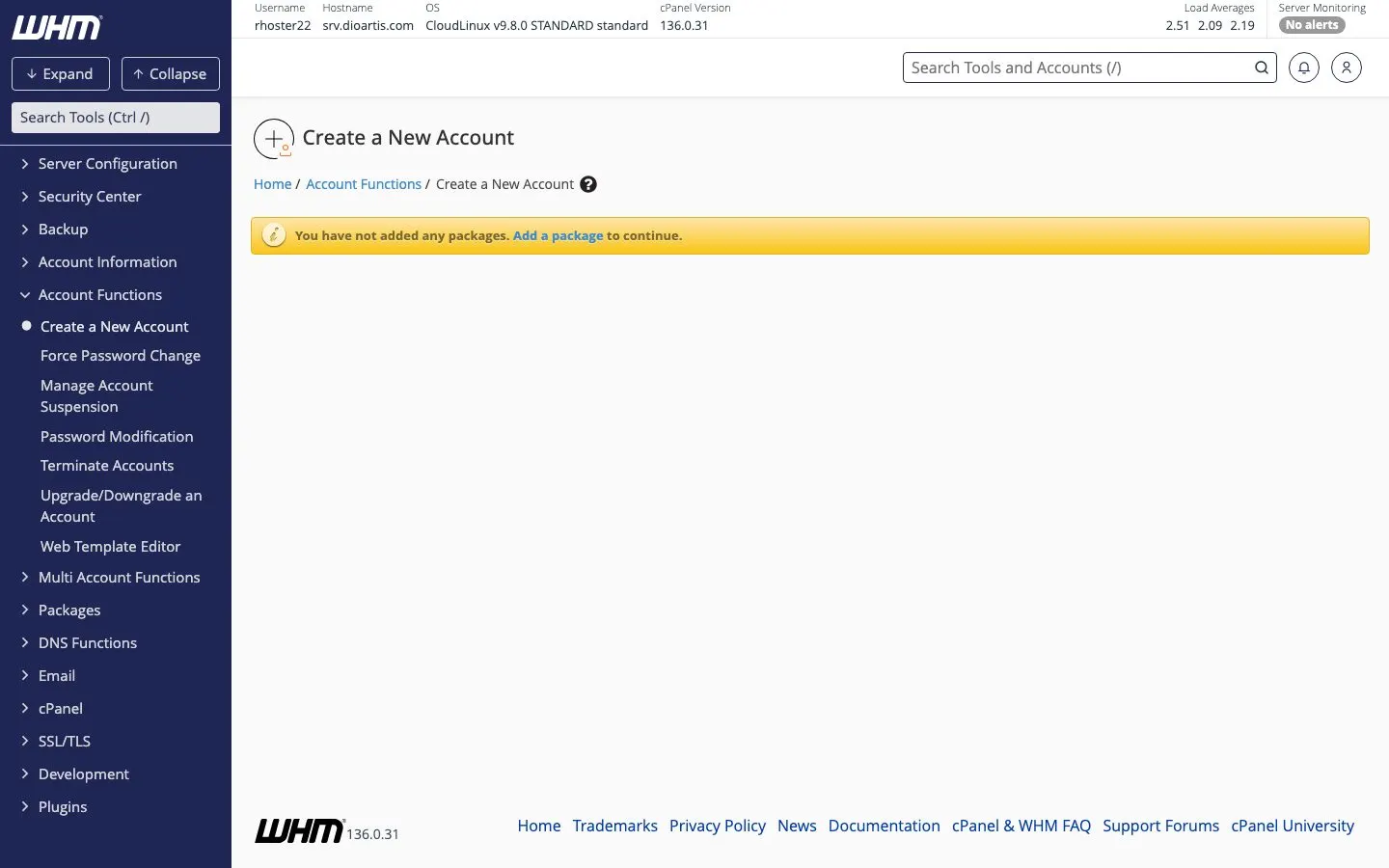
- Account Functions → Create a New Account — provision a client cPanel
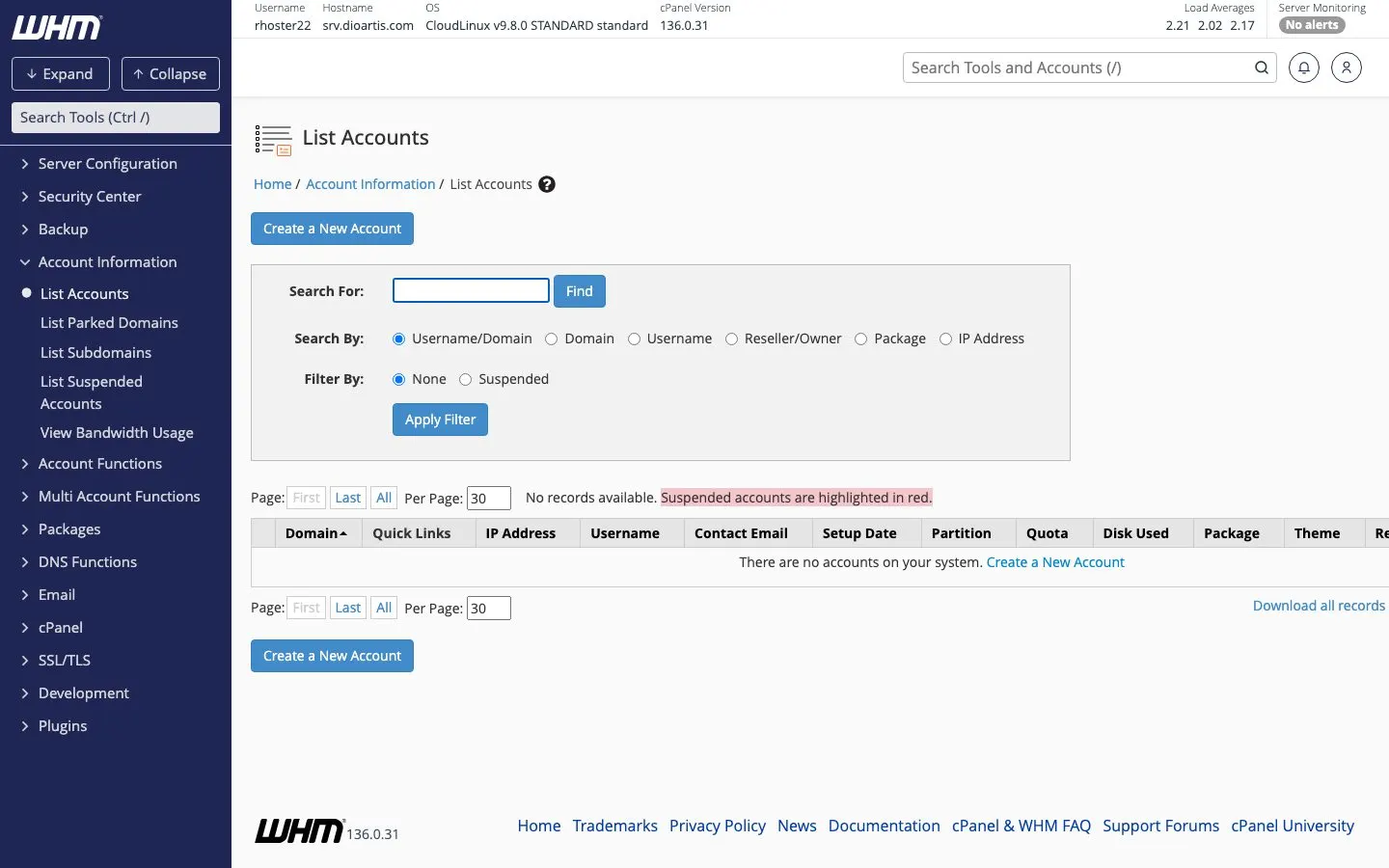
- Account Information → List Accounts — see all clients, open their cPanel, change passwords
- Upgrade/Downgrade an Account — move a client to another package
- View Bandwidth Usage — track usage across accounts
Recommended first-week workflow
- Create 2–3 packages that match what you sell (e.g. Starter, Business) — Creating hosting packages
- Create a test client account on a spare domain or subdomain so you can verify cPanel login — Creating client accounts
- Point client DNS — clients use our nameservers (
ns1.ihoster24.com/ns2.ihoster24.com) or your private nameservers if Sales enabled them — see also How to point your domain - Set your billing — you invoice clients; keep your reseller plan paid in Client Area — Billing your own customers
- Optional branding — Basic WebHost Manager Setup, Web Template Editor, Feature Manager — Branding and white-labeling
Limits and resources
Your Reseller plan has an overall disk/bandwidth/account ceiling. Packages you create must fit inside that. If Create a New Account fails with a limit or permission error, check package totals first, then open a ticket with the exact WHM message.
Who supports whom
- Your clients contact you for site, email, and cPanel how-to
- You contact iHoster24 for the reseller service itself: server issues, WHM errors, plan upgrades, nameserver setup
When to contact support
Include your reseller domain/service ID and a screenshot or copy of any WHM error. For plan sizing or private nameservers, ask Sales or open a Billing/Sales ticket.
Was this helpful?
Thanks for your feedback!